Stop collecting tools. Build one flow.
Most business owners already have two or three AI tools open in different tabs. The problem is that none of them hands the work to the next one, so you end up doing the joining yourself.
So here is the stack: seven tools, each with one job, each passing the result on.
| Tool | Its one job |
|---|---|
| A / TikTok Creator Search Insights | Shows what people are searching for |
| B / OpenRouter | Brings every AI model into Claude, Perplexity included |
| C / Claude | Writes in your voice, reviews it and runs your scheduled jobs |
| D / Sume | Makes the images and video, from one account |
| E / Cloudflare | Puts your guide or page live |
| F / Blotato | Posts it to your platforms on the days you pick |
| G / GoHighLevel | Turns comments into leads |
Make content for a question that already exists
The biggest waste in content is guessing what to post. Creator Search Insights shows you what people are typing into TikTok search, so you answer a question people are already asking.
How to open it
- In the TikTok app, tap Search at the top.
- Type "Creator Search Insights" and tap "View" at the top of the results.
- Search a word from your industry: your service, or the problem your customer has.
- Use the "Content gap" filter. These are topics people search for that do not have enough good videos yet.
Pick three topics. That is your week.
Every AI model, without leaving Claude
OpenRouter gives you access to hundreds of AI models from many providers. Connect it to Claude, and you can ask GPT, Gemini, Grok or Perplexity a question without opening another tab.
That is why there is no separate research tool in this stack. Perplexity's Sonar models are on OpenRouter, so your research runs inside Claude too.
Set it up once
- Create an account at openrouter.ai and add credits. It runs on credits you buy up front, not a monthly subscription.
- In Claude, go to Customize, then Connectors. Click "+ Add" and choose "Add custom connector".
- Name it OpenRouter, paste
https://mcp.openrouter.ai/mcpas the server URL, and click Continue, then Add. - Click Connect, then Authorize on OpenRouter's page. Set a credit limit you are comfortable with first.
Want every click with screenshots? My full guide is at openrouter.asmaldigital.com.
Use it for research and a second opinion
Using OpenRouter, research the topic on the last line.

1. Ask a Perplexity Sonar model what people are asking about it right now, with sources.
2. Ask two other models, such as GPT and Gemini, for the angle a business owner would care about most.
3. Bring the answers back, show me where they agree and where they disagree, and list the sources.

Do not spend more than a few cents on this.

Topic:
Give Claude your business once, then it writes and reviews
A draft from an AI that does not know your offer or your customer sounds like everyone else. So you set it up once, and every draft after that starts from your business.
Do this once
- In Claude, create a project called "Content". A project keeps its own chats, files and instructions together.
- Add your business details to it: what you sell, who you sell to, and the problems you solve.
- Add a few posts or emails you wrote yourself, so it can hear how you talk.
Then paste this every time
Open a new chat inside the project, paste this, and put the topic you found on the last line.
I found a topic people are searching for. It is on the last line.

Write a 45 to 60 second vertical video script for my business. Use what you know about my customer and my offer, and write it the way I talk, using my own posts and emails as the example.

Structure: a hook that names the topic in the first six words, then the problem, then three clear steps, then one call to action.

Only use facts I have given you. If you need a fact you do not have, ask me instead of making one up.

Topic:
Then let Claude review it
It is much easier to fix a script than a video. So ask Claude to read it the way your customer would, cold and scrolling fast. Then read it yourself, because you are the one saying it on camera.
Read this script as my ideal customer would, scrolling fast and seeing it cold.

1. Would the first line stop you? Why or why not?
2. Where would you get bored and swipe away?
3. Is there any claim you would not believe?
4. Is the call to action clear?

Then give me the three changes that would make it stronger. Do not rewrite the whole script.
Every AI image and video model, in one place
Instead of paying for five separate AI tools, Sume puts the image models, the video models and the voice models on one board. You top up a balance and pay for what you make, with no subscription.
- Open Sume and choose "Create Image" or "Create Video".
- Pick a model. For images that includes GPT Image, Seedream and Nano Banana. For video it includes Seedance and Kling.
- Paste your prompt, generate, and download what you like.
Let Claude write the prompts
The hardest part is describing the picture. So ask Claude, in the same project as your script, and put your brand colours on the last line.
Here is my script. For each scene, write one prompt I can paste into an AI image or video model.

Describe what is in the frame, the setting, the lighting and the camera angle. Keep it realistic, keep the same person and place across scenes, and use my brand colours where they fit.

Brand colours:
Put your guide live without a web developer
Every free guide needs a home. Cloudflare can host a page like this one, and Claude can build it and put it live for you.
- Create a Cloudflare account.
- In the Claude desktop app, open the Code tab and start a session in a new folder.
- Paste the prompt below. The first time, Claude asks you to log in to Cloudflare in your browser.
- Open the link it gives you on your phone and check every section before you share it.
Build my free guide as a single HTML page that reads well on a phone. The content is below.

Then deploy it to Cloudflare as a Worker with static assets, using Wrangler, and give me the live link. Do not change or delete anything else in my Cloudflare account.

Guide content:
Record once, then let it go out on its own
Once the video is recorded and approved, put it into Blotato and pick when and where it goes.
- Connect your social accounts in Blotato. You only do this once.
- Upload the video and paste the caption.
- Pick the platforms and the days, and schedule it.
The work keeps going after you post
This is the step most people skip, and it is the one that turns views into leads. Two things run without you: one picks up the comments, the other sorts the leads.
1. GoHighLevel answers the comments
On Instagram and Facebook, you set up a comment automation in GoHighLevel for the post. When someone comments your keyword:
- It replies to their comment so they know to check their DMs.
- It sends them a DM asking for their email address.
- When they reply, it sends what you promised by DM and by email.
- They are now a contact in your CRM, not just a comment.
That is exactly how this guide reached you.
2. Claude sorts the leads on a timer
- Connect GoHighLevel to Claude, so Claude can read your contacts.
- In the Claude desktop app, open "Scheduled" in the sidebar and create a new task.
- Paste the prompt below, finish the last line, and set it to run on weekdays.
Look at the contacts added to GoHighLevel since your last run.

For each one, score them from 1 to 10 on how likely they are to buy, using the description of a good lead on the last line. Add the score and a tag to the contact.

Then give me a short list of the top five to contact today, with one line on why for each.

Do not send any messages yourself. You prepare, I decide what gets sent.

A good lead for my business:
The whole stack, on one page
Here is how the seven tools fit into a normal week.
| When | What you do |
|---|---|
| Monday | Pick three topics in Creator Search Insights, then research them through OpenRouter in Claude. |
| Tuesday | Draft all three in your Claude project, and make the visuals in Sume. |
| Wednesday | Review, fix and record. |
| Thursday | Put any new guide live on Cloudflare, then schedule the week in Blotato. |
| Every day | GoHighLevel answers the comments. Claude scores the leads. You talk to the best ones. |
Muhammad Asmal
Muhammad Asmal is an AI business growth strategist and the founder of Asmal Digital and AI Lead Builder. He helps business owners put AI to work in practical ways, drawing on more than 13 years of digital marketing agency experience. He has delivered in-person AI workshops across the US, South Africa and Dubai and has grown his socials to over 150,000 followers.
Build with a community behind you.
Join the AI Lead Builder community for practical support putting AI to work in your business.
Your membership brings together weekly coaching with Muhammad, training and call replays, business software, and the Agency OS plugin.
Learn and get help
Weekly coaching, training, and a community of business owners.
Build and put it to use
Agency OS plus software for your CRM, funnels, and follow-up.
Hear it from members, on camera
Straight from the community chat
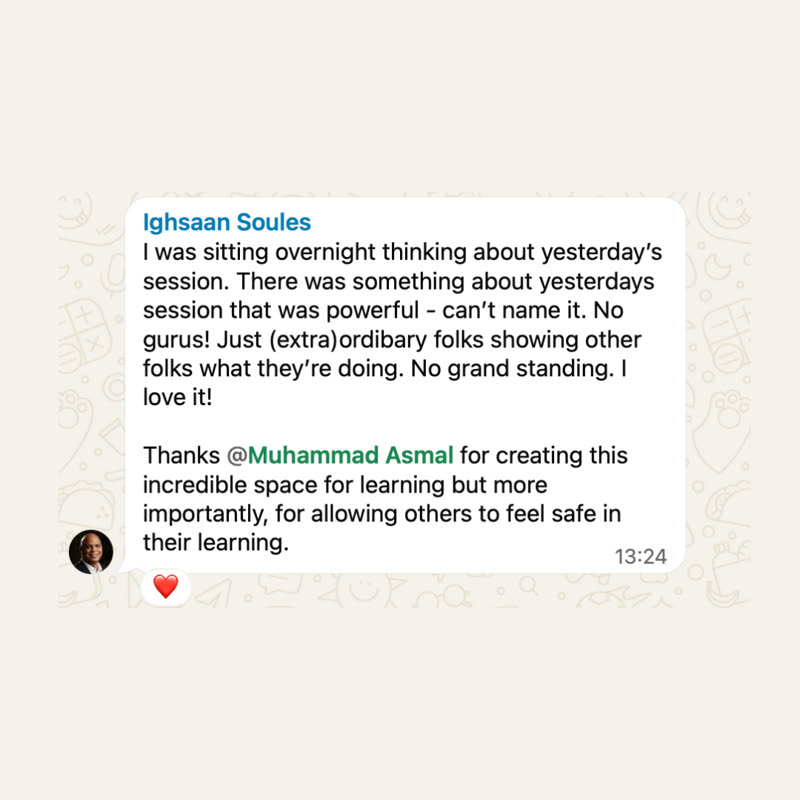
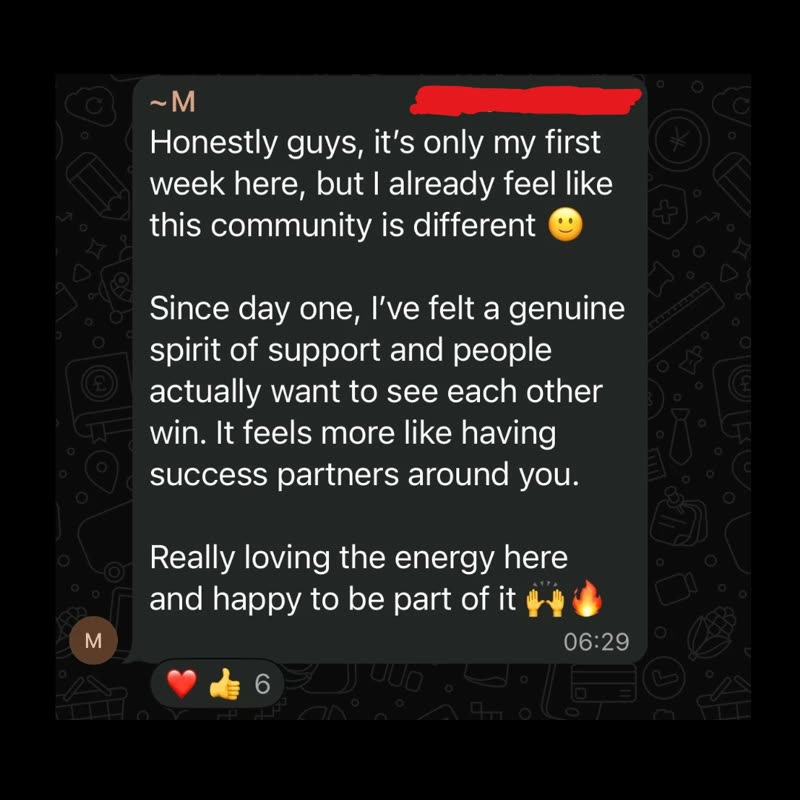
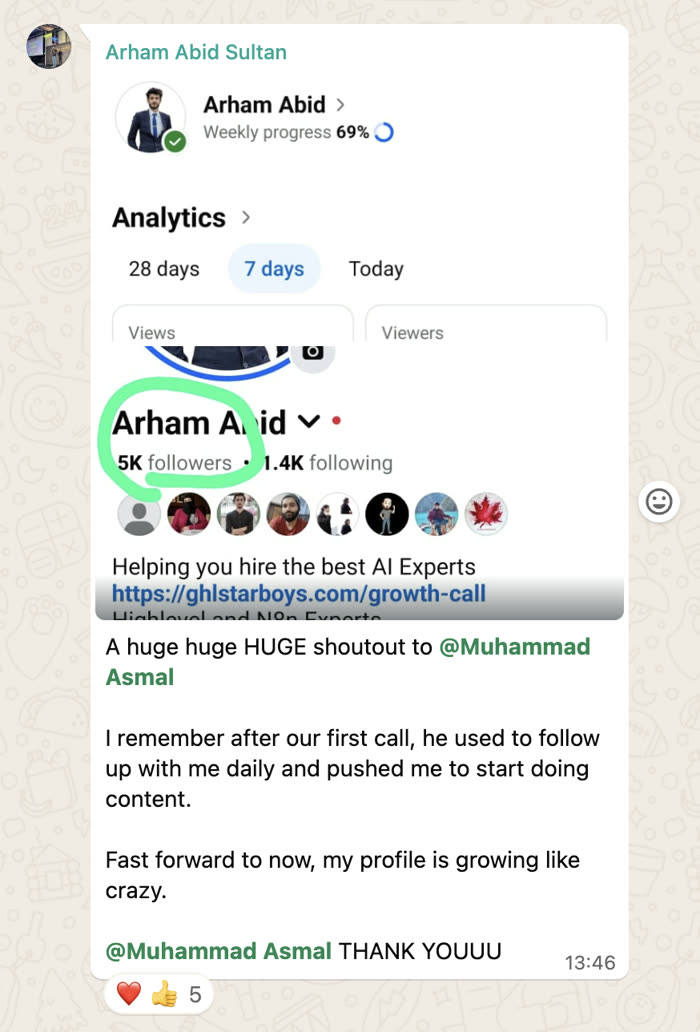
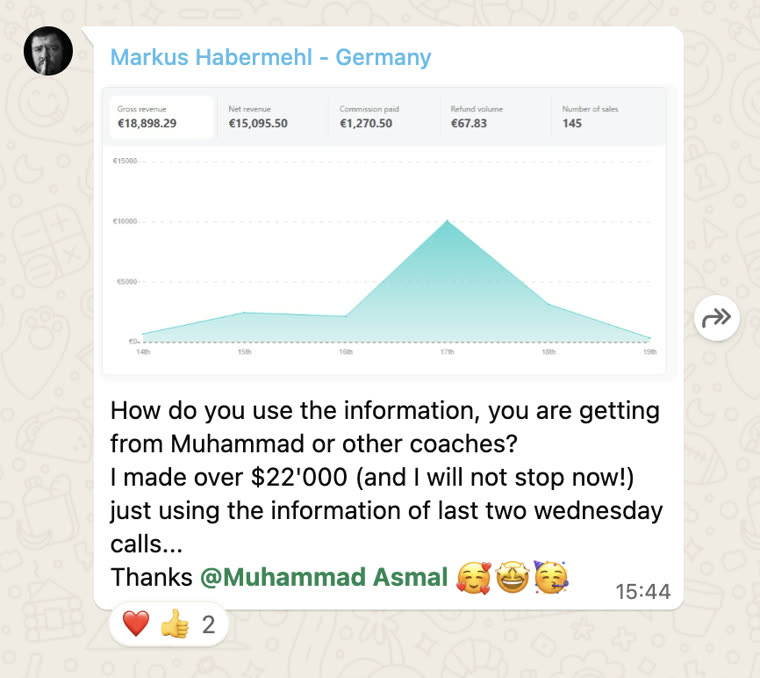
Shared with each member's permission. Individual results vary.
Cancel anytime.
Join AI Lead BuilderSee the membership details and current offer on the next page.